

what we offer
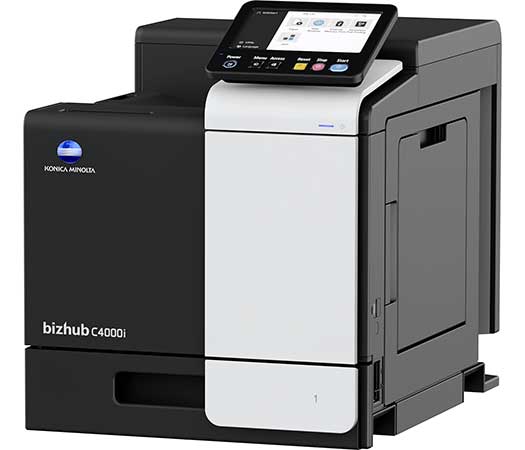
bizhub C4000i
Enjoy the bizhub i-Series with the 7 inch tablet-like panel, the best User Experience of the market, the Security features. We’ve simplified, secured and enhanced what technology can do for your business. Our next generation technology sits at the heart of your connected environment. Bringing together people, places and devices to change the way you work.
- Universal Printer Driver
One driver to install, manage and maintain - Direct print
Driverless printing of PDF, XPS, DOCX, XLSX, PPTX, JPEG, TIFF, PS and PCL - Print features
Various print features like watermark, n-up, poster or booklet page order can be selected - USB print
Direct print of print files stored on a connected USB stick - Embedded print controller
Konica Minolta’s high-performance controller with support of PostScript3, PCL6, PCL 5e/c and XPS - High print resolution
for best output quality
Security
Network security
Support for SSL/TLS, HTTPS, 802.1x and IPsec
- 40/40 ppm in colour and black & white
- Paper formats: A6-A4, custom sizes
- 7-inch tablet-like colour touch panel with multi-touch supportReduced environmental impact thanks to state-of-the-art technology
- Highest data security featuring various security functionalities
Multi-touch panel
The 7 inch screen with 90° tilt angle. Users can flick, scroll and enlarge just like a smartphone or tablet.
Sustainability
Reduce environmental impact and save costs at the same time thanks to Konica Minolta’s integrated state-of-the art technology for competitively low power consumption.
Latest technology
Latest Konica Minolta core technologies for a fully consistent experience no matter which device!
Security
A full set of security features to protect your data.
Printer Specifications
- Print resolution 1,800 (equivalent) x 600 dpi; 1200 x 1200 dpi
- Page description language PCL 6 (XL3.0); PCL 5c; PostScript 3 (CPSI 3016); XPS
- Operating systems Windows 7 (32/64); Windows 8.1 (32/64); Windows 10 (32/64); Windows Server 2008 (32/64); Windows Server 2008 R2; Windows Server 2012; Windows Server 2012 R2; Windows Server 2016; Windows Server 2019; Macintosh OS X 10.10 or later; Unix; Linux; Citrix
- Printer fonts 80 PCL Latin; 137 PostScript 3 Emulation Latin
- Mobile printing AirPrint (iOS); Mopria (Android); Konica Minolta Print Service (Android); Konica Minolta Mobile Print (iOS/Android/Windows 10 Mobile)
optional Google Cloud Print; WiFi Direct - ¹ Warm-up time may vary depending on the operating environment and usage
- ² If the maximum volume is reached within a period of one year, then a maintenance cycle must be performed
- All specifications refer to A4-size paper of 80 g/m² quality.
- The support and availability of the listed specifications and functionalities varies depending on operating systems, applications and network protocols as well as network and system configurations.
- The stated life expectancy of each consumable is based on specific operating conditions such as page coverage for a particular page size (5% coverage of A4). The actual life of each consumable will vary depending on use and other printing variables including page coverage, page size, media type, continuous or intermittent printing, ambient temperature and humidity.
- Some of the product illustrations contain optional accessories.
- Specifications and accessories are based on the information available at the time of printing and are subject to change without notice.
- Konica Minolta does not warrant that any specifications mentioned will be error-free.
- All brand and product names may be registered trademarks or trademarks of their respective holders and are hereby acknowledged.
bizhub C3320i
Simple, Connected and Safe. Discover the bizhub i-Series!
- Universal Printer Driver
One driver to install, manage and maintain - MyTab
Print driver customisation - Direct print
Driverless printing of PDF, XPS, DOCX, XLSX, PPTX, JPEG, TIFF, PS and PCL - Smart job queue
Unprintable jobs e.g. because of unavailable paper size (copy, print and fax) are bypassed by consecutive jobs - Toner save mode
Helps save toner by reducing toner consumption e.g. for draft prints - Mobile Printing
Possibility to directly print documents from a mobile device
Copy
- New User Interface
Light, simple and modern UI is easy to use - Blank page removal
Automatic deletion of blank pages e.g. when copying mixed simplex and duplex documents - Quick access to settings
With most used settings visible at first sight, select them with one click, drop down or pop up menu
Scan
- Scan-to-Me/Home
Direct scan to own email address (Me) or SMB folder (Home) based on Active Directory information - Scan preview
Provides a real-time preview of scanned originals for checking before sending - Scan annotation
Stamping of e.g. date/time, filing number or custom text on scans for archiving purposes - Scan programs
Pre-setting of original, scan file and destination for regular scan jobs - Blank page removal
Automatic deletion of blank pages e.g. when scanning mixed simplex and duplex documents
Fax
- IP-Fax
Sending of fax messages via network between Konica Minolta MFPs; supports colour as well as black & white - PC-Fax
Direct fax transmission from the PC - Fax forwarding
Forwarding of incoming fax documents by email or to SMB folder instead of printing - Shared address book
The MFP-internal address book can be shared with the PC fax client - Tray selection
Choice of input tray / print media and output tray for easy visibility of incoming faxes
Security
- Embedded Antivirus
BitDefender® anti-virus engine to protect the spread of virus inside or outside the organization (optional) - Authentication
User access by password, user name + password, ID card or finger vein scanner - Access rights
Function access rights can be granted on user level (up to 100 accounts) - Data encryption
Encryption of data stored on hard disk and password protection for hard disk access - bizhub SECURE services
Securely set the MFP to make sure the companies data is safe
- 33/33 ppm in colour and black & white
- Paper formats: A6-A4, custom sizes
- 7-inch tablet-like colour touch panel with multi-touch support
- Reduced environmental impact
- Highest data security thanks to various security functionalities
Multi-touch panel
The 7-inch colour touch screen provides an easy operation, juste like your smartphone or tablets. In few clicks and without any learning curve, access the most frequent operations.
Sustainability
Reduce environmental impact and save costs at the same time thanks to Konica Minolta’s integrated state-of-the art technology for competitively low power consumption.
Security
A full set of security features provided by bizhub SECURE services, including Bitdefender anti-virus engine to protect your organization from malware infection.
Latest technology
Latest Konica Minolta core technologies -sharing same QuadCore controller with A3 MFP for a fully consistent experience no matter the device!
Copier Specifications
- Copy resolution 600 x 600 dpi
- Gradation 256 gradations
- Multicopy 1-9,999
- Original format Max. A4
- Magnification 25-400% in 0.1% steps; Auto-zooming
- ¹ Warm-up time may vary depending on the operating environment and usage
- ² If the maximum volume is reached within a period of one year, then a maintenance cycle must be performed
- All specifications refer to A4-size paper of 80 g/m² quality.
- The support and availability of the listed specifications and functionalities varies depending on operating systems, applications and network protocols as well as network and system configurations.
- The stated life expectancy of each consumable is based on specific operating conditions such as page coverage for a particular page size (5% coverage of A4). The actual life of each consumable will vary depending on use and other printing variables including page coverage, page size, media type, continuous or intermittent printing, ambient temperature and humidity.
- Some of the product illustrations contain optional accessories.
- Specifications and accessories are based on the information available at the time of printing and are subject to change without notice.
- Konica Minolta does not warrant that any specifications mentioned will be error-free.
- All brand and product names may be registered trademarks or trademarks of their respective holders and are hereby acknowledged.
Printer Specifications
- Print resolution 1,800 (equivalent) x 600 dpi; 1200 x 1200 dpi
- Page description language PCL 6 (XL3.0); PCL 5c; PostScript 3 (CPSI 3016); XPS
- Operating systems Windows 7 (32/64); Windows 8.1 (32/64); Windows 10 (32/64); Windows Server 2008 (32/64); Windows Server 2008 R2; Windows Server 2012; Windows Server 2012 R2; Windows Server 2016; Windows Server 2019; Macintosh OS X 10.10 or later; Unix; Linux; Citrix
- Printer fonts 80 PCL Latin; 137 PostScript 3 Emulation Latin
- Mobile printing AirPrint (iOS); Mopria (Android); Konica Minolta Print Service (Android); Konica Minolta Mobile Print (iOS/Android/Windows 10 Mobile)
optional Mobile Authentication and Pairing (iOS/Android); WiFi Direct - ¹ Warm-up time may vary depending on the operating environment and usage
- ² If the maximum volume is reached within a period of one year, then a maintenance cycle must be performed
- All specifications refer to A4-size paper of 80 g/m² quality.
- The support and availability of the listed specifications and functionalities varies depending on operating systems, applications and network protocols as well as network and system configurations.
- The stated life expectancy of each consumable is based on specific operating conditions such as page coverage for a particular page size (5% coverage of A4). The actual life of each consumable will vary depending on use and other printing variables including page coverage, page size, media type, continuous or intermittent printing, ambient temperature and humidity.
- Some of the product illustrations contain optional accessories.
- Specifications and accessories are based on the information available at the time of printing and are subject to change without notice.
- Konica Minolta does not warrant that any specifications mentioned will be error-free.
- All brand and product names may be registered trademarks or trademarks of their respective holders and are hereby acknowledged.
Scanner Specifications
- Scan speed Up to 28/28 ipm in simplex (mono/colour)
Up to 56/56 ipm in duplex (mono/colour) - Scan resolution Up to 600 x 600 dpi
- Scan modes Scan-to-eMail (Scan-to-Me); Scan-to-SMB (Scan-to-Home); Scan-to-FTP; Scan-to-USB; Scan-to-WebDAV
- File formats JPEG; TIFF; PDF; Compact PDF; Encrypted PDF; XPS; Compact XPS; PPTX
- Scan destinations 2,000 destinations + 100 groups; LDAP support
- ¹ Warm-up time may vary depending on the operating environment and usage
- ² If the maximum volume is reached within a period of one year, then a maintenance cycle must be performed
- All specifications refer to A4-size paper of 80 g/m² quality.
- The support and availability of the listed specifications and functionalities varies depending on operating systems, applications and network protocols as well as network and system configurations.
- The stated life expectancy of each consumable is based on specific operating conditions such as page coverage for a particular page size (5% coverage of A4). The actual life of each consumable will vary depending on use and other printing variables including page coverage, page size, media type, continuous or intermittent printing, ambient temperature and humidity.
- Some of the product illustrations contain optional accessories.
- Specifications and accessories are based on the information available at the time of printing and are subject to change without notice.
- Konica Minolta does not warrant that any specifications mentioned will be error-free.
- All brand and product names may be registered trademarks or trademarks of their respective holders and are hereby acknowledged.
Fax Specifications
- Fax standard Super G3 (optional)
- Fax transmission Analogue; i-Fax; Colour i-Fax; IP-Fax
- Fax resolution Up to 600 x 600 dpi
- Fax compression MH; MR; MMR; JBIG
- Fax modem Up to 33.6 Kbps
- Fax destinations 2,000 single + 100 groups
- ¹ Warm-up time may vary depending on the operating environment and usage
- ² If the maximum volume is reached within a period of one year, then a maintenance cycle must be performed
- All specifications refer to A4-size paper of 80 g/m² quality.
- The support and availability of the listed specifications and functionalities varies depending on operating systems, applications and network protocols as well as network and system configurations.
- The stated life expectancy of each consumable is based on specific operating conditions such as page coverage for a particular page size (5% coverage of A4). The actual life of each consumable will vary depending on use and other printing variables including page coverage, page size, media type, continuous or intermittent printing, ambient temperature and humidity.
- Some of the product illustrations contain optional accessories.
- Specifications and accessories are based on the information available at the time of printing and are subject to change without notice.
- Konica Minolta does not warrant that any specifications mentioned will be error-free.
- All brand and product names may be registered trademarks or trademarks of their respective holders and are hereby acknowledged.
System Specifications
- System speed A4 Up to 33/33 ppm (mono/colour)
- Autoduplex speed A4 Up to 33/33 ppm (mono/colour)
- 1st page out time A4 6.0/7.2 sec. (mono/colour)
- Warm-up time Approx. 13/15 sec. (mono/colour)¹
- Imaging technology Laser
- Toner technology Simitri® HD polymerised toner
- Panel size/resolution 7″ / 800 x 480
- System memory 4,096 MB (standard/max)
- System hard drive 16 GB (standard)
- Interface 10/100/1,000-Base-T Ethernet; USB 2.0; Wi-Fi 802.11 b/g/n/ac (optional)
- Network protocols TCP/IP (IPv4 / IPv6); SMB; LPD; IPP; SNMP; HTTP(S); Bonjour
- Automatic document feeder Up to 80 originals; A6-A4; 50-128 g/m²; Dualscan ADF
- Printable paper size A6-A4; customized paper sizes
- Printable paper weight 60-210 g/m²
- Paper input capacity 600 sheets / 1,100 sheets (standard/max)
- Manual bypass 100 sheets; A6-A4; custom sizes; 60-210 g/m²
- Finishing modes (optional) Group; Sort; Staple (offline)
- Automatic duplexing A4; 60-210 g/m²
- Output capacity Up to 250 sheets
- Duty cycle (monthly) Rec. 6,500 pages; Max.² 96,000 pages
- Toner lifetime Black up to 13,000 pages
CMY up to 9,000 pages - Power consumption 220-240 V / 50/60 Hz; Less than 1.45 kW
- System dimension (W x D x H) 420 x 528 x 572 mm (without options)
- System weight Approx. 38.4 kg (without options)
- ¹ Warm-up time may vary depending on the operating environment and usage
- ² If the maximum volume is reached within a period of one year, then a maintenance cycle must be performed
- All specifications refer to A4-size paper of 80 g/m² quality.
- The support and availability of the listed specifications and functionalities varies depending on operating systems, applications and network protocols as well as network and system configurations.
- The stated life expectancy of each consumable is based on specific operating conditions such as page coverage for a particular page size (5% coverage of A4). The actual life of each consumable will vary depending on use and other printing variables including page coverage, page size, media type, continuous or intermittent printing, ambient temperature and humidity.
- Some of the product illustrations contain optional accessories.
- Specifications and accessories are based on the information available at the time of printing and are subject to change without notice.
- Konica Minolta does not warrant that any specifications mentioned will be error-free.
- All brand and product names may be registered trademarks or trademarks of their respective holders and are hereby acknowledged.
System Features
- Software Net Care Device Manager; Data Administrator; Box Operator; Web Connection; Print Status Notifier; Driver Packaging Utility; Log Management Utility
- ¹ Warm-up time may vary depending on the operating environment and usage
- ² If the maximum volume is reached within a period of one year, then a maintenance cycle must be performed
- All specifications refer to A4-size paper of 80 g/m² quality.
- The support and availability of the listed specifications and functionalities varies depending on operating systems, applications and network protocols as well as network and system configurations.
- The stated life expectancy of each consumable is based on specific operating conditions such as page coverage for a particular page size (5% coverage of A4). The actual life of each consumable will vary depending on use and other printing variables including page coverage, page size, media type, continuous or intermittent printing, ambient temperature and humidity.
- Some of the product illustrations contain optional accessories.
- Specifications and accessories are based on the information available at the time of printing and are subject to change without notice.
- Konica Minolta does not warrant that any specifications mentioned will be error-free.
- All brand and product names may be registered trademarks or trademarks of their respective holders and are hereby acknowledged.
bizhub C3350i
Simple, connected and safe. Discover the bizhub i-Series! Enjoy the bizhub i-Series with the 10.1 inch tablet-like panel, the best User Experience of the market, the number one Security features with the embedded Bitdefender anti-virus scan engine, Remote Services, Konica Minolta IT Services and much more..
- Universal Printer Driver
One driver to install, manage and maintain - MyTab
Print driver customisation - Direct print
Driverless printing of PDF, XPS, DOCX, XLSX, PPTX, JPEG, TIFF, PS and PCL - Smart job queue
Unprintable jobs e.g. because of unavailable paper size (copy, print and fax) are bypassed by consecutive jobs - Mobile Printing
Possibility to directly print documents from a mobile device
Copy
- New User Interface
Light, simple and modern UI is easy to use - Quick access to settings
With most used settings visible at first sight, select them with one click, drop down or pop up menu - Blank page removal
Automatic deletion of blank pages e.g. when copying mixed simplex and duplex documents
Scan
- Scan-to-Me/Home
Direct scan to own email address (Me) or SMB folder (Home) based on Active Directory information - Scan preview
Provides a real-time preview of scanned originals for checking before sending - Scan annotation
Stamping of e.g. date/time, filing number or custom text on scans for archiving purposes - Scan programs
Pre-setting of original, scan file and destination for regular scan jobs - Scan to url
Reduce the load on the company network by sending a simple url to the recipient instead of a big file - Blank page removal
Automatic deletion of blank pages e.g. when scanning mixed simplex and duplex documents
Fax
- IP-Fax
Sending of fax messages via network between Konica Minolta MFPs; supports colour as well as black & white - PC-Fax
Direct fax transmission from the PC - Fax forwarding
Forwarding of incoming fax documents by email or to SMB folder instead of printing - Shared address book
The MFP-internal address book can be shared with the PC fax client - Tray selection
Choice of input tray / print media and output tray for easy visibility of incoming faxes
Box
- Box function
Storing of print, copy, scan and fax jobs for recall to send and print – for frequently printed documents like brochures, forms, pricelists etc. - Personal, Group and Public
User access definition for different boxes - Sharing
Copying of documents from user box to user box - Online access
User box file access via web browser or box operator utility - Auto deletion
Automatic deletion of files stored in a user box after a predefined period
Security
- Embedded Anti-virus
Bitdefender anti-virus engine protects against viruses spreading inside and outside of an organisation (optional) - Authentication
User access by password, user name + password, ID card or finger vein scanner - Access rights
Function access rights can be granted on user level (up to 1,000 accounts on MFP) - Data encryption
Encryption of data stored on hard disk and password protection for hard disk access - Temporary data deletion
Copy, print, scan and fax job data are automatically deleted after job completion - bizhub SECURE services
Activate adequate security features on the MFP to make sure corporate data is safe
- 33/33 ppm in colour and black & white
- Paper formats: A6-A4
- 10.1-inch tablet-like colour touch panel with multi-touch support and redesigned user interface for intuitive operation and ease of use
- Reduced environmental impact thanks to state-of-the-art technology with competitively low power consumption – saves both energy and money
- Highest data security featuring various security functionalities – including Bitdefender anti-virus engine – reduces the risk of data loss and keeps confidential data safe
Copier Specifications
- Imaging technology Laser
- Toner technology Simitri® HD polymerised toner
- Copy/print speed A4 (mono/colour) Up to 33/33 ppm
- Autoduplex speed A4 (mono/colour) Up to 33/33 ppm
- 1st copy out time A4 (mono/colour) 5.6/6.3 sec.
- Warm-up time Approx. 13 sec. in mono; 15 sec. in color²
- Copy resolution 600 x 600 dpi
- Gradation 256 gradations
- Multicopy 1-9,999
- Original format A6-A4; Custom sizes
- Magnification 25-400% in 0.1% steps; Auto-zooming
Printer Specifications
- Fax standard Super G3 (optional)
- Fax transmission Analogue; i-Fax; Colour i-Fax; IP-Fax
- Fax resolution Up to 600 x 600 dpi
- Fax compression MH; MR; MMR; JBIG
- Fax modem Up to 33.6 Kbps
- Fax destinations 2,100 (single + group)
Scanner Specifications
- Scan speed (mono/colour) Up to 45/45 ipm in simplex
Up to 90/90 ipm in duplex - Scan modes Scan-to-eMail (Scan-to-Me); Scan-to-SMB (Scan-to-Home);
Scan-to-FTP; Scan-to-Box; Scan-to-USB; Scan-to-WebDAV;
Scan-to-URL; TWAIN scan - File formats JPEG; TIFF; PDF; Compact PDF; Encrypted PDF; XPS;
Compact XPS; PPTX // Optional: Searchable PDF;
PDF/A 1a and 1b; Searchable DOCX/PPTX/XLSX - Scan destinations 2,100 (single + group); LDAP support
bizhub B4422
A4 multifunctional with 44 ppm b/w. Standard print controller with PCL 5/6, PostScript 3 and XPS support. Paper capacity of 250 sheets and 100-sheet manual bypass. Media from A6 to A4 and 60–216 g/m². 1 GB memory and Gigabit Ethernet standard
MyTab
Print driver customisation
Carbon Copy print
Single page printing from multiple trays
Direct print
Driverless printing of PDF, XPS, DOCX, XLSX, PPTX, JPEG, TIFF, PS and PCL
Smart job queue
Unprintable jobs e.g. because of unavailable paper size (copy, print and fax) are bypassed by consecutive jobs
Toner save mode
Helps save toner by reducing toner consumption e.g. for draft prints
Mobile Printing
Possibility to directly print documents from a mobile device
Job preview
Illustrates selected copy functions on screen
Custom function bar
Up to 2 x 7 copy functions can be freely selected for the main copy screen
Blank page removal
Automatic deletion of blank pages e.g. when copying mixed simplex and duplex documents
Card shot
Prints copies of the front and back of the original on the same page, e.g. for passport and other ID
Scan-to-Me/Home
Direct scan to own email address (Me) or SMB folder (Home) based on Active Directory information
Scan preview
Provides a real-time preview of scanned originals for checking before sending
Scan annotation
Stamping of e.g. date/time, filing number or custom text on scans for archiving purposes
Scan programs
Pre-setting of original, scan file and destination for regular scan jobs
Blank page removal
Automatic deletion of blank pages e.g. when scanning mixed simplex and duplex documents
IP-Fax
Sending of fax messages via network between Konica Minolta MFPs; supports colour as well as black & white
PC-Fax
Direct fax transmission from the PC
Fax forwarding
Forwarding of incoming fax documents by email or to SMB folder instead of printing
Shared address book
The MFP-internal address book can be shared with the PC fax client
Tray selection
Choice of input tray / print media and output tray for easy visibility of incoming faxes
Box function
Storing of print, copy, scan and fax jobs for recall to send and print – for frequently printed documents like brochures, forms, pricelists etc.
Personal, Group and Public
User access definition for different boxes
Sharing
Copying of documents from user box to user box
Online access
User box file access via web browser or box operator utility
Auto deletion
Automatic deletion of files stored in a user box after a predefined period
Authentication
User access by password, user name + password, ID card or finger vein scanner
Access rights
Function access rights can be granted on user level (up to 1,000 accounts on MFP)
Data encryption
Encryption of data stored on hard disk and password protection for hard disk access
Temporary data deletion
Copy, print, scan and fax job data are automatically deleted after job completion
- Speed A4: 44 ppm
- Paper formats: A6-A4
- Familiar and intuitive operation using 4.3” / 480 x 272 screen
- Dual-scan document feeder scans recto and verso of double-sided originals in one run
- Highest data security thanks to various security functions that reduce the risk of data loss and keep confidential data safe

Copier Specifications
| Toner technology | Electrostatic laser |
|---|---|
| Copy/print speed A4 (mono) | Up to 44 ppm |
| Autoduplex speed A4 (mono) | Up to 23 ppm |
| 1st copy out time A4 (mono) | 6.0 sec. |
| Copy resolution | 600 x 600 dpi |
| Gradation | 256 gradations |
| Multicopy | 1-999 |
| Original format | A6–A4 |
| Magnification | 25-400% |
| Copy functions | Duplex; 2-in-1; 4-in-1; page insertion; overlay; booklet (opt.); electronic sorting; ID copy; proof copy (opt.); margin shift; cover page; background removal |
Printer Specifications
| Print resolution | 1,200 x 1,200 dpi |
|---|---|
| Page description language | PCL 5/6; PostScript 3; XPS |
| Operating systems | Windows 7 (32/64); Windows 8/8.1 (32/64); Windows 10 (32/64); Windows Server 2008 (32/64); Windows Server 2008 R2; Windows Server 2012; Windows Server 2012 R2; Windows Server 2016; Macintosh OS X 10.9 or later; Linux; Citrix |
| Printer fonts | 89 PCL Latin; 158 PostScript 3 Emulation Latin |
| Print functions | Duplex; n-up; watermark; cover sheet; electronic sorting; secure print; USB direct print (PDF v1.7; TIFF; JPEG; GIF; BMP; PNG; XPS) |
| Mobile printing | AirPrint (iOS), Mopria (Android), Google Cloud Print, Konica Minolta Mobile Print (iOS, Android & Windows 10 Mobile), Konica Minolta Print Service (Android) optional: Wifi Direct |
Scanner Specifications
| Scan speed (mono/colour) | Up to 42/20 ipm |
|---|---|
| Scan resolution | Up to 600 x 600 dpi |
| Scan modes | Scan-to-eMail; Scan-to-FTP; Scan-to-SMB; Scan-to-USB; Network TWAIN scan |
| File formats | PDF; TIFF; JPEG; XPS |
| Scan functions | Scan preview (opt.) |
Fax Specifications
| Fax standard | Super G3 |
|---|---|
| Fax transmission | Analogue |
| Fax resolution | Up to 600 x 600 dpi (ultra-fine) |
| Fax compression | MH; MR; MMR; JBIG; JPEG |
| Fax modem | Up to 33.6 Kbps |
| Fax destinations | 400 |
| Fax functions | Time shift; PC-Fax; up to 500 job programs; block Junk Fax; banned fax list; scan preview (opt.); fax forwarding; fax server support |
System Specifications
| Panel size/resolution | 4.3” / 480 x 272 |
|---|---|
| System memory (standard/max) | 1 GB (standard) |
| System hard disk | 500 GB (optional) |
| Interface | 10-Base-T/100-Base-TX/1,000-Base-T Ethernet; USB 2.0; Wi-Fi 802.11b/g/n (optional) |
| Network protocols | TCP/IP (IPv4 / IPv6); UDP; AppleTalk; SMB; LPD; IPP; SNMP; HTTP/S |
| Automatic Document Feeder | Up to 50 originals; A6 – A4; 52 – 120 g/m²; |
| Printable paper size | A6 – A4; customised paper sizes |
| Printable paper weight | 60 – 216 g/m² |
| Paper input capacity (standard/max) | Standard: 350 sheets; Max.: 2,000 sheets |
| Paper tray input (standard) | 250 sheets; A6–A4; 60–120 g/m² |
| Paper tray input (optional) | 3x 250/550 sheets; A5–A4; 60–120 g/m² |
| Manual bypass | 100 sheets; A6 – A4; custom sizes; 60 – 216 g/m² |
| Automatic duplexing | A4; 60 – 90 g/m² |
| Finishing modes | Group/sort; staple (optional) |
| Output capacity (standard) | Max.: 150 sheets |
| Stapling | Max.: 20 sheets |
| Copy/print volume (monthly) | Rec.: 7,000 pages Max.: 120,000 pagesIf the maximum volume is reached within a period of one year, then a maintenance cycle must be performed |
| Toner lifetime | 25,000 pages |
| Imaging unit lifetime | 60,000 pages |
| Power consumption | 220 – 240 V/50/60 Hz; Less than 630 W |
| System dimension (WxDxH) | 489 x 429.5 x 477 mm |
| System weight | Approx. 20.6 kg (without options) |
System Features
| Security | SNMPv3; HTTPS; IPsec support; TCP/UDP port disabling; IEEE 802.1x support; secure print (print hold/PIN); certificate management; SMTP authentication |
|---|---|
| Software | PageScope Net Care Device Manager |

bizhub C4050i
Enjoy the bizhub i-Series with its 10.1-inch panel just like a tablet, the best user experience in the market. A high-quality colour print, copy scan solution in networked MFP environments. With 40 ppm output in colour and black and white, fast scanning up to 90 ipm, 10.1″ touchscreen convenience for ease of operation and built-in Emperon printing with PCL and PostScript emulation – all in a compact device with a small footprint.
- Universal Printer Driver
One driver to install, manage and maintain - MyTab
Print driver customisation - Direct print
Driverless printing of PDF, XPS, DOCX, XLSX, PPTX, JPEG, TIFF, PS and PCL - Smart job queue
Unprintable jobs e.g. because of unavailable paper size (copy, print and fax) are bypassed by consecutive jobs - Mobile Printing
Possibility to directly print documents from a mobile device
Copy
- New User Interface
Light, simple and modern UI is easy to use - Quick access to settings
With most used settings visible at first sight, select them with one click, drop down or pop up menu - Blank page removal
Automatic deletion of blank pages e.g. when copying mixed simplex and duplex documents
Scan
- Scan-to-Me/Home
Direct scan to own email address (Me) or SMB folder (Home) based on Active Directory information - Scan preview
Provides a real-time preview of scanned originals for checking before sending - Scan annotation
Stamping of e.g. date/time, filing number or custom text on scans for archiving purposes - Scan programs
Pre-setting of original, scan file and destination for regular scan jobs - Scan to url
Reduce the load on the company network by sending a simple url to the recipient instead of a big file - Blank page removal
Automatic deletion of blank pages e.g. when scanning mixed simplex and duplex documents
Fax
- IP-Fax
Sending of fax messages via network between Konica Minolta MFPs; supports colour as well as black & white - PC-Fax
Direct fax transmission from the PC - Fax forwarding
Forwarding of incoming fax documents by email or to SMB folder instead of printing - Shared address book
The MFP-internal address book can be shared with the PC fax client - Tray selection
Choice of input tray / print media and output tray for easy visibility of incoming faxes
- 40/40 ppm in colour and black & white
- Paper formats: A6-A4
- 10.1-inch tablet-like colour touch panel with multi-touch support and redesigned user interface for intuitive operation and ease of use
- Reduced environmental impact thanks to state-of-the-art technology with competitively low power consumption – saves both energy and money
- Highest data security featuring various security functionalities – including Bitdefender anti-virus engine – reduces the risk of data loss and keeps confidential data safe
Copier Specifications
- Imaging technology Laser
- Toner technology Simitri® HD polymerised toner
- Copy/print speed A4 (mono/colour) Up to 40/40 ppm
- Autoduplex speed A4 (mono/colour) Up to 40/40 ppm
- 1st copy out time A4 (mono/colour) 4.8/5.4 sec.
- Warm-up time Approx. 13 sec. in mono; 15 sec. in color²
- Copy resolution 600 x 600 dpi
- Gradation 256 gradations
- Multicopy 1-9,999
- Original format A6-A4; Custom sizes
- Magnification 25-400% in 0.1% steps; Auto-zooming
Printer Specifications
- Print resolution 1,800 (equivalent) x 600 dpi; 1200 x 1200 dpi
- Print Speed A4 (mono/colour) Up to 40/40 ppm
- Page description language PCL 6 (XL3.0); PCL 5c; PostScript 3 (CPSI 3016); XPS
- Operating systems Windows 7 (32/64); Windows 8/8.1 (32/64); Windows 10 (32/64);
Windows Server 2008 (32/64); Windows Server 2008 R2;
Windows Server 2012; Windows Server 2012 R2;
Windows Server 2016; Windows Server 2019;
Macintosh OS X 10.10 or later; Unix; Linux; Citrix - Printer fonts 80 PCL Latin; 137 PostScript 3 Emulation Latin
- Mobile printing AirPrint (iOS); Mopria (Android);
Konica Minolta Mobile Print (iOS/Android/Windows 10 Mobile);
Mobile Authentication and Pairing (iOS/Android)
Optional: Google Cloud Print; WiFi Direct
Scanner Specifications
- Scan speed (mono/colour) Up to 45/45 ipm in simplex
Up to 90/90 ipm in duplex - Scan modes Scan-to-eMail (Scan-to-Me); Scan-to-SMB (Scan-to-Home);
Scan-to-FTP; Scan-to-Box; Scan-to-USB; Scan-to-WebDAV;
Scan-to-URL; TWAIN scan - File formats JPEG; TIFF; PDF; Compact PDF; Encrypted PDF; XPS; Compact XPS; PPTX
Optional: Searchable PDF; PDF/A 1a and 1b; Searchable DOCX/PPTX/XLSX - Scan destinations 2,100 (single + group); LDAP support
Fax Specifications
- Fax standard Super G3
- Fax transmission Analogue; i-Fax; Colour i-Fax; IP-Fax
- Fax resolution Up to 600 x 600 dpi
- Fax compression MH; MR; MMR; JBIG
- Fax modem Up to 33.6 Kbps
- Fax destinations 2,100 (single + group)
User Box Specifications
- Storable documents Up to 3,000 documents or 10,000 pages
- Type of user boxes Public; Personal (with password or authentication);
Group (with authentication) - Type of system boxes Secure print; Encrypted PDF print; Fax receipt; Fax polling
System Specifications
- Panel size/resolution 10.1” / 1024 x 600
- System memory (standard/max) 5,120 MB
- System hard drive 256 GB (standard)
- Interface 10/100/1,000-Base-T Ethernet; USB 2.0;
Wi-Fi 802.11 b/g/n (optional) - Network protocols TCP/IP (IPv4/IPv6); SMB; LPD; IPP; SNMP;
HTTP(S); AppleTalk; Bonjour - Automatic Document Feeder Up to 80 originals; A5-A4; 50-128 g/m²; Dualscan ADF
- Paper input capacity (standard/max) 600 sheets / 1,600 sheets
- Paper tray input (standard) 1x 500 sheets; A6-A4; custom sizes; 60-210 g/m²
- Paper tray input (optional) 1x 500 sheets; A4; 60-90 g/m²
1x 500 sheets; A4; 60-90 g/m² - Manual bypass 100 sheets; A6-A4; Custom sizes; 60-210 g/m²
- Automatic duplexing A4; 60-210 g/m²
- Finishing modes Group; Sort; Staple (offline)
- Output capacity (standard) Max. 250 sheets
- Copy/print volume (monthly) Rec. 6,500 pages; Max.¹ 120,000 pages
- Toner lifetime Black up to 13,000 pages
CMY up to 9,000 pages - Imaging unit lifetime Black up to 168,000 pages (imaging unit)
CMY up to 55,000 pages (imaging unit) - Power consumption 220-240 V / 50/60 Hz; Less than 1.45 kW
- System dimension (WxDxH) 420 x 528 x 572 mm (without options)
- System weight Approx. 39.0 kg (without options)
System Features
- Security Standard:
ISO 15408 HCD-PP Common Criteria (in evalutation); IP filtering and port blocking; SSL2; SSL3 and TLS1.0/1.1/1.2 network communication; IPsec support; IEEE 802.1x support; User authentication; Authentication log; Secure print; Kerberos; Hard disk overwrite; Hard disk data encryption (AES 256); Memory data auto deletion; Confidential fax receipt; Print user data encryption
Optional: Antivirus realtime scanning (Bitdefender®) - Accounting Standard: Up to 1,000 user accounts; Active Directory support (user name + password + e-mail + smb folder); User function access definition
Optional: Biometric authentication (finger vein scanner); ID card authentication (ID card reader); Authentication by mobile device (Android/iOS) - Software Net Care Device Manager; Data Administrator; Box Operator; Web Connection; Print Status Notifier; Driver Packaging Utility; Log Management Utility
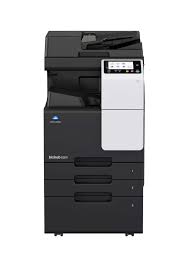
bizhub C257i
Enjoy the bizhub i-Series with the 7 inch touch panel, the best User Experience of the market, the number one Security features with the embedded Bitdefender anti-virus scan engine, Remote Services, Konica Minolta IT Services and much more..
- 25 ppm in colour and b/w
- Paper formats: A6-A3
- Custom formats and banner format of up to 1.2 metres length
- 7-inch colour touch panel with multi-touch support and newly redisgned User Interface for an intuitive and easy to use operation
- Reduced environmental impact thanks to state-of-the-art technology ensuring competitively low energy consumption – which saves both energy and money
- Highest data security featuring various security functionalities reduces the risk of data loss and keeps confidential data safe
- 5 ppm in colour and b/w
- Paper formats: A6-A3
- Custom formats and banner format of up to 1.2 metres length
- 7-inch colour touch panel with multi-touch support and newly redisgned User Interface for an intuitive and easy to use operation
- Reduced environmental impact thanks to state-of-the-art technology ensuring competitively low energy consumption – which saves both energy and money
- Highest data security featuring various security functionalities reduces the risk of data loss and keeps confidential data safe
Copier Specifications
- Copy resolution 600 x 600 dpi
- Gradation 256 gradations
- Multicopy 1-9,999
- Original format Max. A3
- Magnification 25-400% in 0.1% steps; Auto-zooming
Printer Specifications
- Print resolution 1,800 (equivalent) x 600 dpi
- Page description language PCL 6 (XL3.0); PCL 5c; PostScript 3 (CPSI 3016); XPS
- Operating systems Windows 7 (32/64); Windows 8.1 (32/64); Windows 10 (32/64); Windows Server 2008 (32/64); Windows Server 2008 R2; Windows Server 2012; Windows Server 2012 R2; Windows Server 2016; Windows Server 2019; Macintosh OS X 10.10 or later; Linux
- Printer fonts 80 PCL Latin; 137 PostScript 3 Emulation Latin
- Mobile printing AirPrint (iOS); Mopria (Android); Konica Minolta Print Service (Android); Konica Minolta Mobile Print (iOS/Android)
optional: WiFi Direct
Scanner Specifications
- Scan speed Up to 55/55 ipm in simplex (mono/colour)
Up to 20/20 ipm in duplex (mono/colour) - Scan resolution Up to 600 x 600 dpi
- Scan modes Scan-to-eMail (Scan-to-Me); Scan-to-SMB (Scan-to-Home); Scan-to-FTP; Scan-to-Box; Scan-to-USB; Scan-to-WebDAV; Scan-to-DPWS; Scan-to-URL; TWAIN scan
- File formats JPEG; TIFF; PDF; Compact PDF; Encrypted PDF; XPS; Compact XPS; PPTX; PDF/A
optional: Searchable PDF; PDF/A 1a and 1b; Searchable DOCX/PPTX/XLSX - Scan destinations 2,000 destinations + 100 groups; LDAP support
Fax Specifications
- Fax standard Super G3 (optional)
- Fax transmission Analogue; i-Fax; Colour i-Fax; IP-Fax
- Fax resolution Up to 600 x 600 dpi
- Fax compression MH; MR; MMR; JBIG
- Fax modem Up to 33.6 Kbps
- Fax destinations 2,000 single + 100 groups
System Specifications
- System speed A4 Up to 25/25 ppm (mono/colour)
- System speed A3 Up to 12/12 ppm (mono/colour)
- Autoduplex speed A4 Up to 25/25 ppm (mono/colour)
- 1st page out time A4 6.8/8.4 sec. (mono/colour)
- Warm-up time Approx. 20 sec. (mono/colour)¹
- Imaging technology Laser
- Toner technology Simitri® HD polymerised toner
- Panel size/resolution 7″ / 800 x 480
- System memory 6,144 MB (standard/max)
- System hard drive 256 GB SSD (standard)
- Interface 10/100/1,000-Base-T Ethernet; USB 2.0; Wi-Fi 802.11 b/g/n/ac (optional)
- Network protocols TCP/IP (IPv4 / IPv6); SMB; LPD; IPP; SNMP; HTTP(S); Bonjour
- Automatic document feeder (optional) Up to 130 originals; A5-A3; 35-128 g/m²; RADF
- Printable paper size A6-A3; customized paper sizes; banner paper max. 1,200 x 297 mm
- Printable paper weight 60-256 g/m²
- Paper input capacity 1,100 sheets / 3,600 sheets (standard/max)
- Paper tray input (standard) 1x 500; A5-A4; custom sizes; 60-256 g/m²
1x 500; A5-A3; custom sizes; 60-256 g/m² - Paper tray input (optional) 1x 500 sheets; A5-A3; 60-256 g/m²
2x 500 sheets; A5-A3; 60-256 g/m²
1x 2,500 sheets; A4; 60-256 g/m² - Manual bypass 100 sheets; A6-A3; custom sizes,banner; 60-256 g/m²
- Finishing modes (optional) Offset; Group; Sort; Staple; Staple (offline); Punch; Half-fold; Letter-fold; Booklet
- Automatic duplexing A5-A3; 60-256 g/m²
- Output capacity Up to 250 sheets / up to 3,300 sheets (standard/max)
- Stapling output capacity Max. 100 sets
- Stapling Max. 50 sheets or 48 sheets + 2 cover sheets (up to 209 g/m²)
- Letter fold Max. 3 sheets
- Letter fold capacity Max. 30 sets; unlimited (without tray)
- Booklet Max. 20 sheets or 19 sheets + 1 cover sheet (up to 209 g/m²)
- Booklet output capacity Max. 20 booklets; unlimited (without tray)
- Duty cycle (monthly) Rec. 10,000 pages; Max.² 125,000 pages
- Toner lifetime Black up to 24,000 pages
CMY up to 24,000 pages - Power consumption 220-240 V / 50/60 Hz; Less than 1.50 kW
- System dimension (W x D x H) 571 x 661 x 786 mm (without options)
- System weight Approx. 70.0 kg (without options)
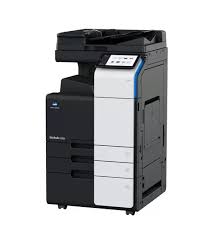
bizhub C250i
Simple, connected and safe. Discover the bizhub i-Series! Enjoy the bizhub i-Series with the 7 inch tablet-like panel, the best User Experience of the market, the number one Security features with the embedded Bitdefender® anti-virus scan engine (optional), Remote Services, Konica Minolta IT Services and much more… 25/25 ppm in colour and black & white Paper formats: A6-SRA3, custom formats and banner format of up to 1.2 metres length 10.1-inch tablet-like colour touch panel with multi-touch support and redesigned user interface for intuitive operation and ease of use Reduced environmental impact thanks to state-of-the-art technology with competitively low power consumption – saves both energy and money Highest data security featuring various security functionalities – including Bitdefender anti-virus engine – reduces the risk of data loss and keeps confidential data safe
- 25/25 ppm in colour and black & white
- Paper formats: A6-SRA3, custom formats and banner format of up to 1.2 metres length
- 10.1-inch tablet-like colour touch panel with multi-touch support and redesigned user interface for intuitive operation and ease of use
- Reduced environmental impact thanks to state-of-the-art technology with competitively low power consumption – saves both energy and money
- Highest data security featuring various security functionalities – including Bitdefender anti-virus engine – reduces the risk of data loss and keeps confidential data safe
- Auto deletion
Automatic deletion of files stored in a user box after a predefined period - Box function
Storing of print, copy, scan and fax jobs for recall to send and print – for frequently printed documents like brochures, forms, pricelists etc. - Online access
User box file access via web browser or box operator utility - Personal, Group and Public
User access definition for different boxes - Sharing
Copying of documents from user box to user box
- Multi-touch panel
The 10.1 inch screen offers vibration feedback and a 90° tilt angle. Users can flick, scroll and enlarge just like a smartphone or tablet. - Sustainability
Reduce environmental impact and save costs at the same time thanks to Konica Minolta’s integrated state-of-the art technology for competitively low power consumption. - Versatile finishingVersatile finishing options include stapling, punching, letterfolding of up to 3 sheets per letter and booklets of up to 20 sheets (80 pages) for improved office productivity and professional documents.
- Security
A full set of security features provided by bizhub SECURE services, including Bitdefender anti-virus engine, protects your organisation against malware infection. - Konica Minolta IT Services
Direct access from the MFP user interface home screen to the Konica Minolta MarketPlace to enjoy Cloud services, connectors, and much more.
Copier Specifications
- Imaging technology Laser
- Toner technology Simitri® HD polymerised toner
- Copy/print speed A4 (mono/colour) Up to 25/25 ppm
- Copy/print speed A3 (mono/colour) Up to 15/15 ppm
- Autoduplex speed A4 (mono/colour) Up to 25/25 ppm
- 1st copy out time A4 (mono/colour) 5.2/6.9 sec.
- Warm-up time Approx. 11 sec. in mono; 13 sec. in color²
- Copy resolution 600 x 600 dpi
- Gradation 256 gradations
- Multicopy 1-9,999
- Original format A6-A3; Custom sizes
- Magnification 25-400% in 0.1% steps; Auto-zooming
Printer Specifications
- Print resolution 1,800 (equivalent) x 600 dpi; 1200 x 1200 dpi
- Print Speed A4 (mono/colour) Up to 25/25 ppm
- Page description language PCL 6 (XL3.0); PCL 5c; PostScript 3 (CPSI 3016); XPS
- Operating systems Windows 7 (32/64); Windows 8/8.1 (32/64); Windows 10 (32/64);
Windows Server 2008 (32/64); Windows Server 2008 R2;
Windows Server 2012; Windows Server 2012 R2;
Windows Server 2016; Windows Server 2019;
Macintosh OS X 10.10 or later; Unix; Linux; Citrix - Printer fonts 80 PCL Latin; 137 PostScript 3 Emulation Latin
- Mobile printing AirPrint (iOS); Mopria (Android);
Konica Minolta Mobile Print (iOS/Android/Windows 10 Mobile);
Mobile Authentication and Pairing (iOS/Android)
Optional: Google Cloud Print; WiFi Direct
Scanner Specifications
- Scan speed (mono/colour) Up to 100/100 ipm in simplex
Up to 200/200 ipm in duplex - Scan modes Scan-to-eMail (Scan-to-Me); Scan-to-SMB (Scan-to-Home);
Scan-to-FTP; Scan-to-Box; Scan-to-USB; Scan-to-WebDAV;
Scan-to-URL; TWAIN scan - File formats JPEG; TIFF; PDF; Compact PDF; Encrypted PDF; XPS; Compact XPS; PPTX
Optional: Searchable PDF; PDF/A 1a and 1b; Searchable DOCX/PPTX/XLSX - Scan destinations2,100 (single + group); LDAP support
Fax Specifications
- Fax standard Super G3 (optional)
- Fax transmission Analogue; i-Fax; Colour i-Fax; IP-Fax
- Fax resolution Up to 600 x 600 dpi
- Fax compression MH; MR; MMR; JBIG
- Fax modem Up to 33.6 Kbps
- Fax destinations 2,100 (single + group)
System Specifications
- Panel size/resolution 10.1” / 1024 x 600
- System memory (standard/max) 8,192 MB
- System hard drive 256 GB (standard)
- Interface 10/100/1,000-Base-T Ethernet; USB 2.0;
Wi-Fi 802.11 b/g/n (optional) - Network protocols TCP/IP (IPv4/IPv6); SMB; LPD; IPP; SNMP;
HTTP(S); AppleTalk; Bonjour - Automatic Document Feeder Up to 100 originals; A6-A3; 35-163 g/m²;
RADF or Dualscan ADF available - Paper input capacity (standard/max) 1,150 sheets / 6,650 sheets
- Paper tray input (standard) 1x 500 sheets; A6-A3; custom sizes; 52-256 g/m²
1x 500 sheets; A5-SRA3; custom sizes; 52-256 g/m² - Paper tray input (optional) 1x 500 sheets; A5-A3; 52-256 g/m²
2x 500 sheets; A5-A3; 52-256 g/m²
1x 2,500 sheets; A4; 52-256 g/m² - Large capacity tray (optional) 1x 3,000 sheets; A4; 52-256 g/m²
- Manual bypass 150 sheets; A6-SRA3; Custom sizes; Banner; 60-300 g/m²
- Automatic duplexing A5-SRA3; 52-256 g/m²
- Finishing modes Offset; Group; Sort; Staple; Punch; Half-fold; Letter-fold; Booklet
- Output capacity (standard) Max. 250 sheets
- Output capacity (optional) Max. 3,300 sheets
- Stapling Max. 50 sheets or 48 sheets + 2 cover sheets (up to 209 g/m²)
- Letter fold Max. 3 sheets
- Letter fold capacity Max. 30 sheets; unlimited (without tray)
- Booklet Max. 20 sheets or 19 sheets + 1 cover sheet (up to 209 g/m²)
- Booklet output capacity Max. 100 booklets; unlimited (without tray)
- Copy/print volume (monthly) Rec. 16,000 pages; Max.¹ 130,000 pages
- Toner lifetime Black up to 28,000 pages
CMY up to 28,000 pages - Imaging unit lifetime Black up to 170,000/1,000,000 pages (drum/developer)
CMY up to 65,000/1,000,000 pages (drum/developer) - Power consumption220-240 V / 50/60 Hz; Less than 1.58 kW
- System dimension (WxDxH) 615 x 688 x 779 mm (without options)
- System weight Approx. 84.0 kg (without options)
bizhub B4050i
Enjoy the bizhub i-Series with the 10.1 inch tablet-like panel, the best User Experience of the market, the number one Security features with the embedded Bitdefender anti-virus scan engine, Remote Services, Konica Minolta IT Services and much more..
Copy
- Blank page removal
Automatic deletion of blank pages e.g. when copying mixed simplex and duplex documents - New User Interface
Light, simple and modern UI is easy to use - Quick access to settings
With most used settings visible at first sight, select them with one click, drop down or pop up menu
Fax
- Fax forwarding
Forwarding of incoming fax documents by email or to SMB folder instead of printing - IP-Fax
Sending of fax messages via network between Konica Minolta MFPs; supports colour as well as black & white - PC-Fax
Direct fax transmission from the PC - Shared address book
The MFP-internal address book can be shared with the PC fax client - Tray selection
Choice of input tray / print media and output tray for easy visibility of incoming faxes
- Direct print
Driverless printing of PDF, XPS, DOCX, XLSX, PPTX, JPEG, TIFF, PS and PCL - Mobile printing
Possibility to directly print documents from a mobile device - MyTab
Print driver customisation - Smart job queue
Unprintable jobs e.g. because of unavailable paper size (copy, print and fax) are bypassed by consecutive jobs - Universal Printer Driver
One driver to install, manage and maintain
Scan
- Scan annotation
Stamping of e.g. date/time, filing number or custom text on scans for archiving purposes - Scan preview
Provides a real-time preview of scanned originals for checking before sending - Scan programs
Pre-setting of original, scan file and destination for regular scan jobs - Scan to url
Reduce the load on the company network by sending a simple url to the recipient instead of a big file - Scan-to-Me/Home
Direct scan to own email address (Me) or SMB folder (Home) based on Active Directory information
- 40 ppm in black & white
- Paper formats: A6-A4
- 10.1-inch colour tablet-like touch panel with multi-touch support and newly redisgned User Interface for an intuitive and easy to use operation
- Reduced environmental impact thanks to state-of-the-art technology ensuring competitively low energy consumption – which saves both energy and money
- Highest data security featuring various security functionalities reduces the risk of data loss and keeps confidential data safe
- ystem speed A4 Up to 40/40 ppm (mono/colour)
- Autoduplex speed A4 Up to 40/40 ppm (mono/colour)
- 1st page out time A4 4.8/5.4 sec. (mono/colour)
- Warm-up time Approx. 13/15 sec. (mono/colour)¹
- Imaging technology Laser
- Toner technology Simitri® V polymerised toner
- Panel size/resolution 10.1″ / 1024 x 600
- System memory 5,120 MB (standard/max)
- System hard drive 256 GB SSD (standard) / 1 TB SSD (optional)
- Interface 10/100/1,000-Base-T Ethernet; USB 2.0; Wi-Fi 802.11 b/g/n/ac (optional)
- Network protocols TCP/IP (IPv4 / IPv6); SMB; LPD; IPP; SNMP; HTTP(S); Bonjour
- Automatic document feeder Up to 80 originals; A6-A4; 50-128 g/m²; Dualscan ADF
- ADF double feed detection Optional
- Printable paper size A6-A4; customized paper sizes
- Printable paper weight 60-210 g/m²
- Paper input capacity 600 sheets / 1,600 sheets (standard/max)
- Paper tray input (standard) 1x 500; A6-A4; custom sizes; 60-210 g/m²
- Paper tray input (optional) 1x 500 sheets; A4; 60-90 g/m²
1x 500 sheets; A4; 60-90 g/m² - Manual bypass 100 sheets; A6-A4; custom sizes; 60-210 g/m²
- Finishing modes (optional) Group; Sort; Staple (offline)
- Automatic duplexing A4; 60-210 g/m²
- Output capacity Up to 250 sheets
- Duty cycle (monthly) Rec. 6,500 pages; Max.² 120,000 pages
- Toner lifetime Black up to 13,000 pages
CMY up to 9,000 pages - Imaging unit lifetime Black up to 168,000 pages (imaging unit)
CMY up to 55,000 pages (imaging unit) - Power consumption 220-240 V / 50/60 Hz; Less than 1.45 kW
- System dimension (W x D x H) 420 x 528 x 572 mm (without options)
- System weight Approx. 39.0 kg (without options)
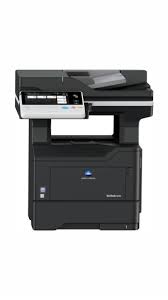
bizhub B4052
Speed A4: 40 ppm in black & white Paper formats: A6-A4 and custom sizes Familiar and intuitive operation using a 7-inch colour touch operation panel similar to that found on Konica Minolta A3 devices Dual-scan document feeder scans recto and verso of double-sided originals in one run Highest data security thanks to various security functions that reduce the risk of data loss and keep confidential data safe
- Print resolution 600 x 600 dpi; 1,200 x 1,200 dpi
- Page description language PCL 6 (XL 3.0); PCL 5; PostScript 3 (CPSI 3016); XPS
- Operating systems Windows 7 (32/64); Windows 8 /8.1 (32/64); Windows 10 (32/64);
Windows Server 2008 (32/64); Windows Server 2008 R2;
Windows Server 2012; Windows Server 2012 R2;
Windows Server 2016; Macintosh OS X 10.9 or later;
Linux; Unix; Citrix - Printer fonts 80 PCL Latin; 137 PostScript 3 Emulation Latin
- Print functions Direct print of TIFF; XPS; PDF (v1.7) and OOXML (DOCX, XLSX, PPTX); secure print; proof print; overlay; n-up; booklet page order; watermark
- Mobile printing AirPrint (iOS), Mopria (Android), Konica Minolta Print Service (Android), Konica Minolta Mobile Print (iOS, Android and Windows 10 Mobile); Mobile Authentication and Pairing (Android and iOS) optional: Google Cloud Print; Wifi Direct
Copy
- Toner technology Electrostatic laser
- Copy/print speed A4 (mono) Up to 40 ppm
- Autoduplex speed A4 (mono) Up to 30 ppm
- 1st copy out time A4 (mono) 6.5 sec.
- Copy resolution 600 x 600 dpi
- Gradation 256 gradations
- Multicopy 1-9,999
- Original format Max. A4
- Magnification 25-400% in 0.1% steps; auto-zooming
- Copy functions Electronic sorting; multi-job; adjustments (contrast, sharpness, image density); proof copy; interrupt mode; separate scan; sort/group; combination; original selection; ID card copy; 2-in-1; 4-in-1; 8-in-1
Scan
- Scan speed (mono/colour) Up to 47/30 ipm in simplex /Up to 94/60 ipm in duplex
- Scan resolution Up to 600 x 600 dpi
- Scan modes Scan-to-eMail (Scan-to-Me); Scan-to-SMB (Scan-to-Home); Scan-to-FTP; Scan-to-HDD; Scan-to-USB; Scan-to-WebDAV; Scan-to-URL; Network TWAIN scan
- File formats TIFF, PDF, Compact PDF, JPEG, XPS, PDF/A (opt.), Compact XPS, PPTX, Linearized PDF, Encrypted PDF
- Scan destinations 2,100 (single + group); LDAP support
- Scan functions Up to 400 job programs
Fax
- Fax standard Super G3 (optional)
- Fax transmission Analogue; i-Fax
- Fax resolution Up to 600 x 600 dpi (ultra-fi ne)
- Fax compression MH; MR; MMR; JBIG
- Fax modem Up to 33.6 Kbps
- Fax destinations 2,100 (single + group)
- Fax functions Time shift; PC-Fax; fax forwarding; up to 400 program dials
- Interface customisation – Enhanced efficiency in preparing small and more complex copy, print, scan and fax jobs – by adaption of the MFP panel and printer driver interface to specific user needs
- Flexible media and paper management – High media flexibility up to 216 gsm and versatile paper input options for a maximum paper capacity of up to 2,300 sheets ensure completion of larger jobs without interruption
- Multi-touch panel – The 7-inch colour touch screen makes work more fun thanks to easy navigation and operation similar to Konica Minolta A3 devices. The integrated mobile touch area lifts work flexibility to a new level enabling mobile device users to connect, print and scan simply by touching the mobile area on their device
- Productivity – Fast dual scanning and duplex printing in combination with extensive applications, a mobile portfolio, and optional staple finisher
- Latest technology – Using latest Konica Minolta core technology and application support, the devices offer various features such as remote support, device management, additional barcode and unicode printing as well as integration to print management and scan workflows
- Panel size/resolution 7” / 800 x 480
- System memory (standard/max) 2 GB/4 GB
- System hard drive 250 GB (standard)
- Interface 10/100/1,000-Base-T Ethernet; USB 2.0; Wi-Fi 802.11b/g/n (optional)
- Network protocols TCP/IP (IPv4/IPv6); SMB; LPD; IPP; SNMP; HTTP; HTTPS
- Automatic Document Feeder Up to 50 originals; A6 – A4; 52 – 120 g/m²;
automatic dualscan document feeder - Printable paper size A6 – A4; customised paper sizes
- Printable paper weight 60 – 216 g/m²
- Paper input capacity (standard/max) 650 sheets/2,300 sheets
- Paper tray input (standard) 550 sheets; A6 – A4, 60 – 120 g/m²
- Paper tray input (optional) 3x 250/550 sheets; A5-A4; 60-120 g/m²
- Manual bypass 100 sheets; A6 – A4; custom sizes; 60 – 216 g/m²
- Automatic duplexing A4; 60 – 90 g/m²
- Finishing modes Group/sort; staple (optional)
- Output capacity (standard) Max.: 250 sheets
- Stapling Max.: 20 sheets
- Copy/print volume (monthly) Rec.: 7,000 pages
Max.: 100,000 pages If the maximum volume is reached within a period of one year, then a maintenance cycle must be performed - Toner lifetime 25,000 pages
- Imaging unit lifetime 60,000 pages
- Power consumption 220 – 240 V/50/60 Hz; Less than 600 W
- System dimension (WxDxH) 490 x 521 x 546 mm
- System weight Approx. 24 kg (without options)